> ## Documentation Index
> Fetch the complete documentation index at: https://docs.disputeninja.io/llms.txt
> Use this file to discover all available pages before exploring further.
# Adyen
> Connect your Adyen account to DisputeNinja to automate chargeback handling.
### Step 1: Create API Credentials
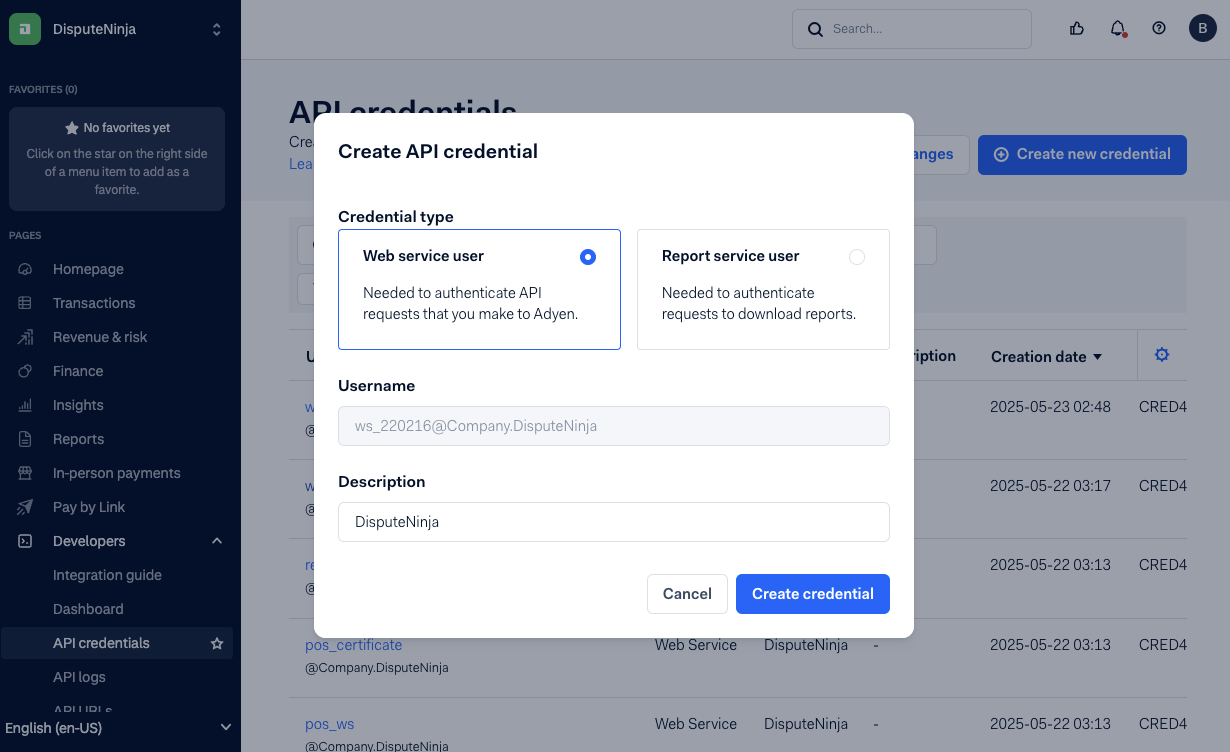
1. **Go to**: `Developers > API credentials`
2. **Click** “Create new credential”
3. **Select** `Web service user`
4. **Set a Description** (e.g., `DisputeNinja`)
5. **Click** “Create credential”
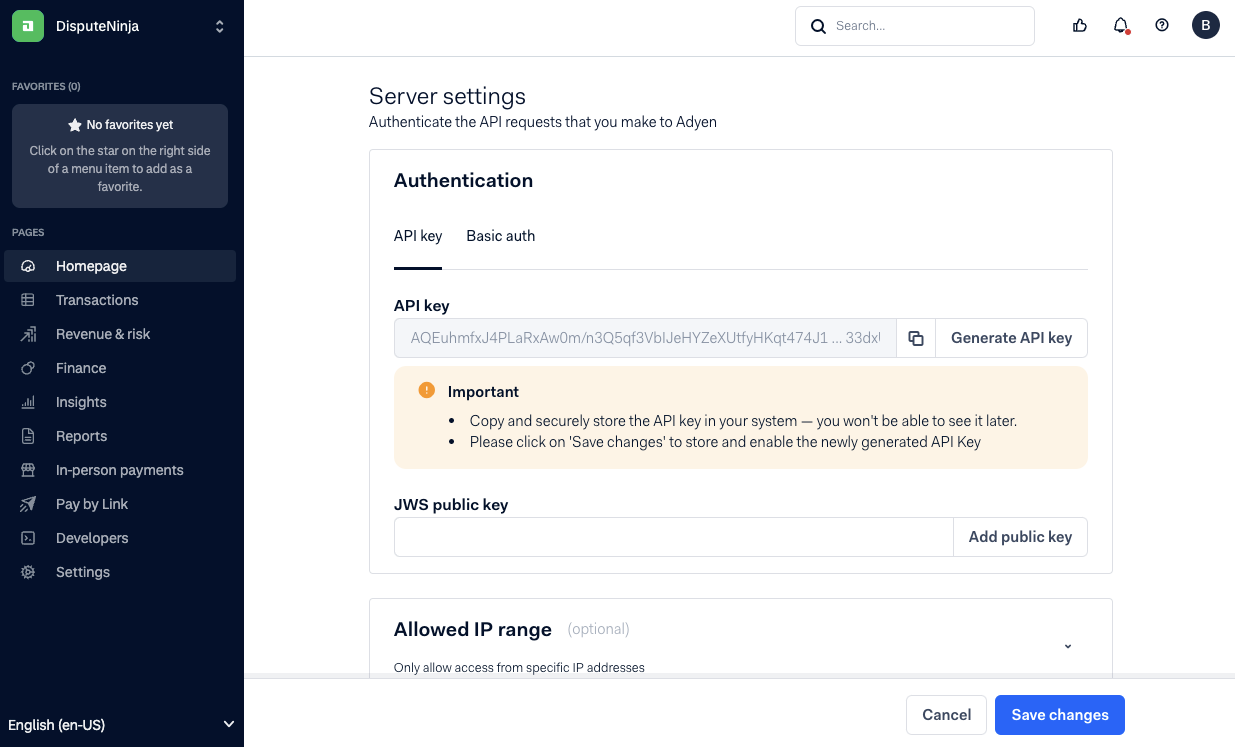
 6. **Generate an API Key** under “Authentication” → “API Key” tab.
7. **Copy and save the key** securely (you won’t be able to view it again).
8. **Click** “Save changes” to activate the key.
6. **Generate an API Key** under “Authentication” → “API Key” tab.
7. **Copy and save the key** securely (you won’t be able to view it again).
8. **Click** “Save changes” to activate the key.
 ### Step 2: Get Your Live URL Prefix
1. Go to `Developers > API URLs`
2. Copy your Live URL Prefix
### Step 3: Create a User for DisputeNinja
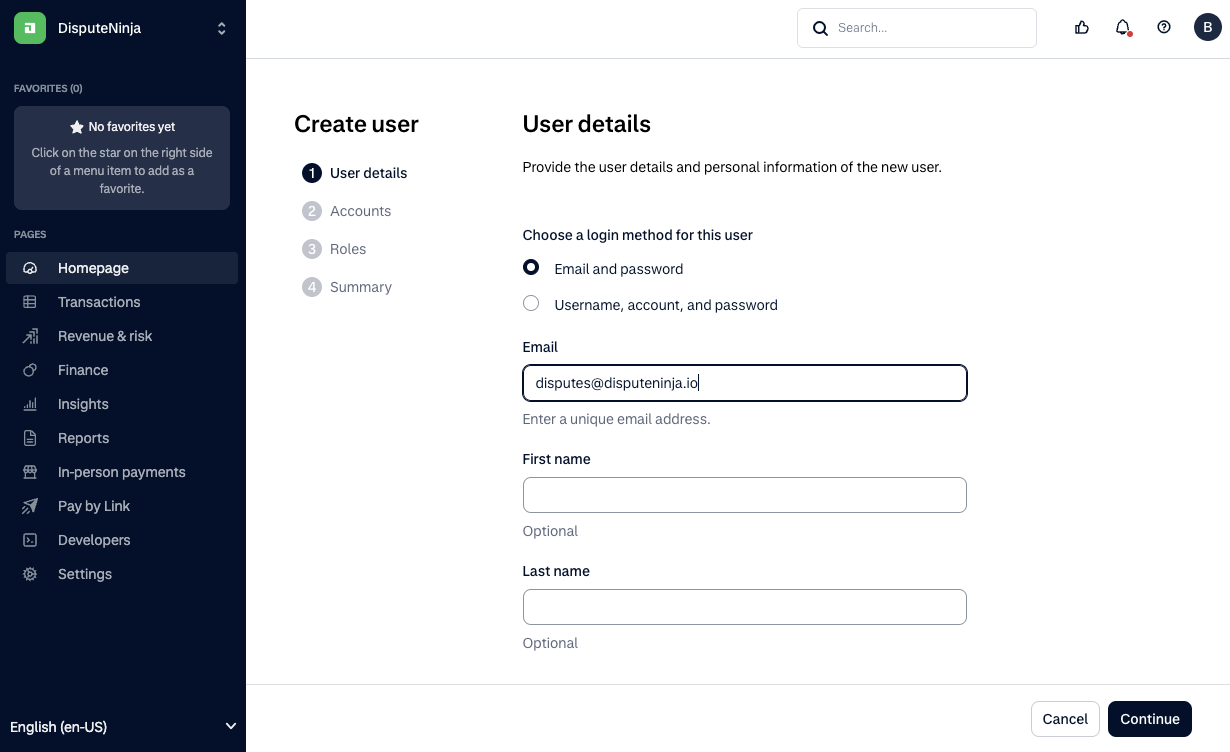
1. **Go to**: `Settings > Users`
2. **Click** “Create new user”
3. **Use login method**: Email and password
4. **Paste the email from DisputeNinja** into the email field
### Step 2: Get Your Live URL Prefix
1. Go to `Developers > API URLs`
2. Copy your Live URL Prefix
### Step 3: Create a User for DisputeNinja
1. **Go to**: `Settings > Users`
2. **Click** “Create new user”
3. **Use login method**: Email and password
4. **Paste the email from DisputeNinja** into the email field
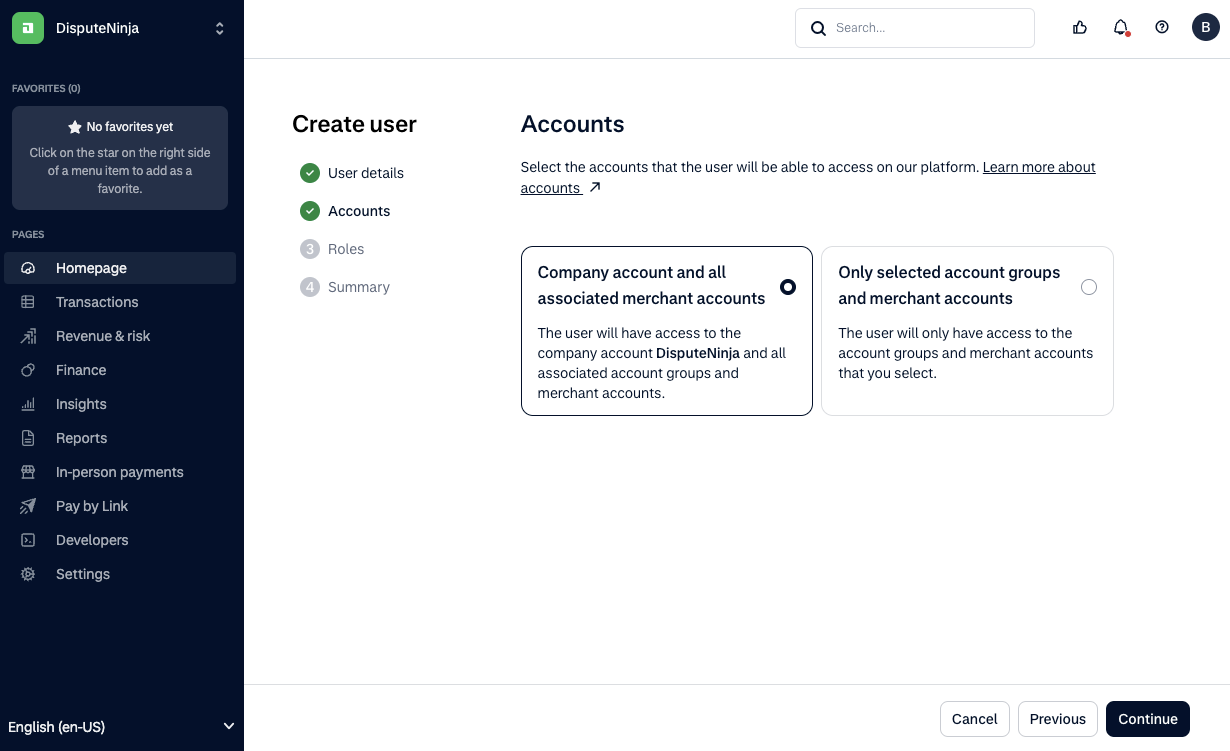
 5. **Assign access to**:\
`Company account and all associated merchant accounts`
5. **Assign access to**:\
`Company account and all associated merchant accounts`
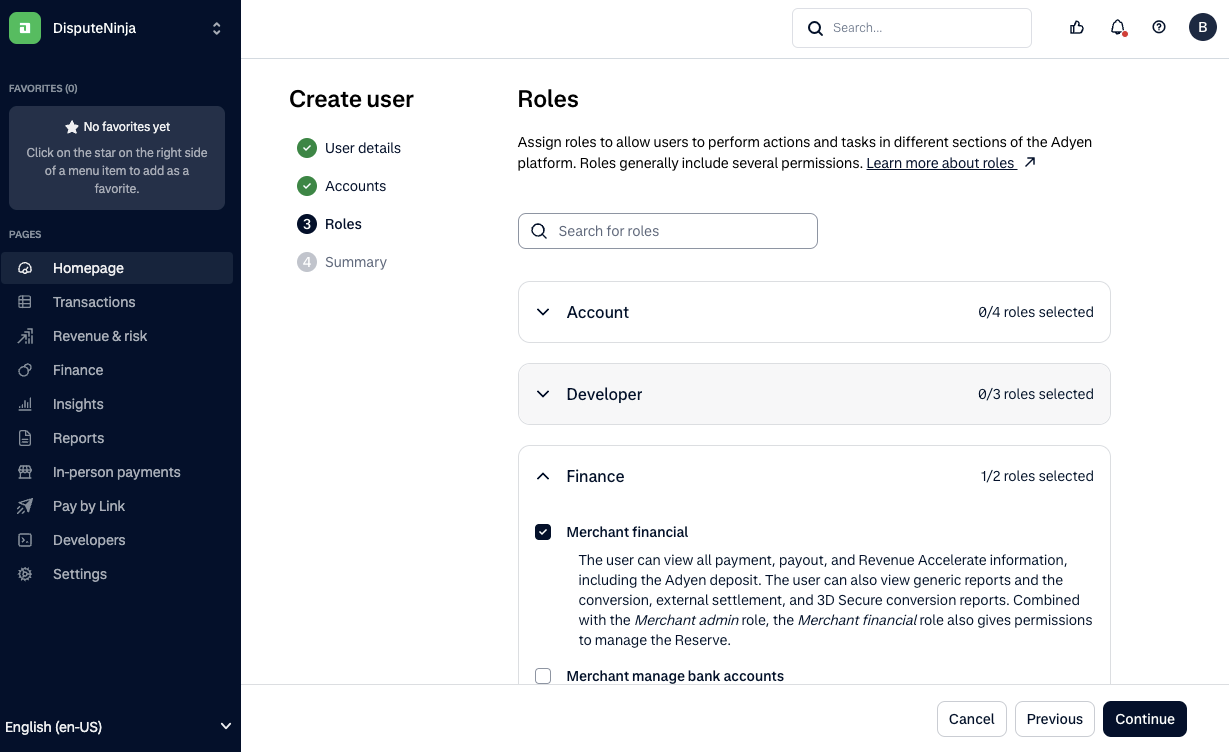
 6. **Assign roles**:
* Under **Finance**, check: `Merchant financial`
* Under **Revenue & risk**, check: `Risk admin`
7. **Complete the user creation** by clicking through to “Continue” and “Finish”
6. **Assign roles**:
* Under **Finance**, check: `Merchant financial`
* Under **Revenue & risk**, check: `Risk admin`
7. **Complete the user creation** by clicking through to “Continue” and “Finish”